Building a Production-Ready RAG Knowledge Base with n8n, Qdrant, and Ollama
Introduction
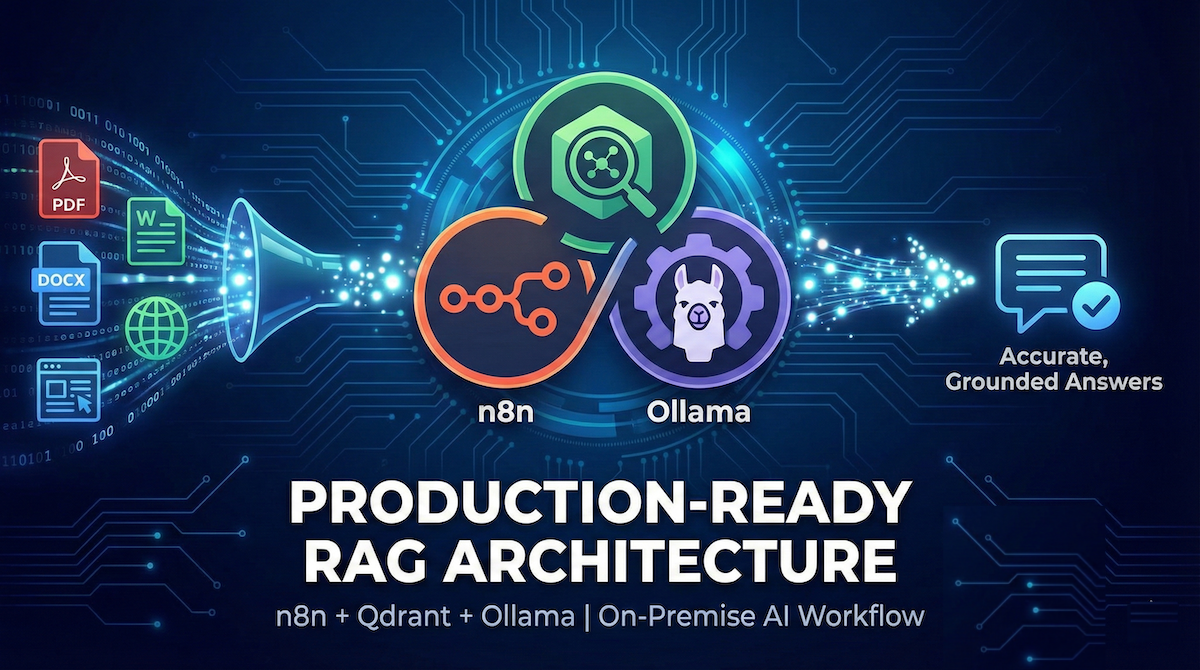
Retrieval-Augmented Generation (RAG) has become the most reliable way to build AI systems that answer questions accurately using your own documents. Instead of relying only on an LLM’s training data, RAG retrieves relevant knowledge from a vector database and injects it into the prompt at runtime.
In this article, we’ll walk through a production-ready RAG architecture built using:
- n8n for orchestration
- Qdrant for vector storage and semantic search
- Ollama for embeddings and LLM inference
This setup works perfectly for PDFs, Word documents, and website content, and can be deployed fully on-premise or in Docker.
What Problem Does RAG Solve?
Large Language Models (LLMs) are powerful, but they have limitations:
- They don’t know your private documents
- They may hallucinate answers
- They can’t stay up-to-date with changing data
RAG solves this by:
- Storing your documents as vector embeddings
- Searching them semantically at query time
- Feeding only the most relevant chunks into the LLM
High-Level RAG Architecture
The complete flow looks like this:
- User asks a question
- Question is converted into an embedding
- Similar document chunks are retrieved from Qdrant
- Retrieved chunks are injected into the LLM prompt
- LLM answers strictly based on provided context
This guarantees accuracy, traceability, and control.
Why n8n + Qdrant + Ollama?
n8n (Workflow Orchestration)
- Visual, low-code pipeline
- Easy HTTP integrations
- Perfect for RAG chaining
Qdrant (Vector Database)
- Fast cosine similarity search
- Rich metadata filtering
- Ideal for multi-tenant knowledge bases
Ollama (Local AI Runtime)
- Run LLMs and embedding models locally
- No external API dependency
- Works great with models like llama3.1 and nomic-embed-text
Step-by-Step Workflow Breakdown
1. Webhook: Accept the User Question
The workflow starts with an HTTP webhook that receives:
{
  "message": "What is the invoice approval workflow?"
}
The webhook is configured with:
Response Mode: Last Node
This means the final node automatically returns the response, keeping the workflow clean and warning-free.
2. Input Normalization
The user input is normalized into a clean field:
- question
This avoids confusion later when passing data between nodes.
3. Generate Embeddings with Ollama
The question is sent to Ollama’s embeddings API using a single, consistent model:
{
  "model": "nomic-embed-text",
  "prompt": "<user question>"
}
⚠️ Using the same embedding model for both ingestion and search is mandatory for accurate results.
4. Semantic Search in Qdrant
The generated embedding is used to search Qdrant:
{
  "vector": [embedding],
  "limit": 5,
  "with_payload": true
}
Each matched point contains:
- The vector similarity score
- A rich payload with document metadata
5. Payload Design (The Most Important Part)
Each vector stored in Qdrant should include actual chunk text:
{
  "payload": {
    "text": "Approval requests must be reviewed by the finance team...",
    "title": "Invoice Approval Workflow",
    "section": "Approval Rules",
    "source_type": "pdf",
    "source_name": "invoice-guide.pdf",
    "document_id": "doc_101",
    "chunk_id": 4
  }
}
✅ payload.text is what gets sent to the LLM
❌ Storing only titles or summaries breaks RAG accuracy
6. Build Structured RAG Context
Instead of dumping raw text, the workflow builds structured context:
Source: invoice-guide.pdf
Title: Invoice Approval Workflow
Content:
Approval requests must be reviewed by the finance team...
Chunks are separated using delimiters to preserve meaning and readability.
7. Generate the Final Answer with Ollama
The final prompt enforces strict grounding:
Use ONLY the context below to answer the question.
If the answer is not present, say:
"I don't know based on the provided information."
This eliminates hallucinations and ensures compliance-grade responses.
Why This Workflow Is Production-Ready
✔ No unused nodes
✔ No hallucinations
✔ Fully local & private
✔ Metadata-aware retrieval
✔ Easy to scale (multi-tenant / multi-collection)
✔ Works for PDFs, DOCX, and websites
Common Mistakes This Design Avoids
- ❌ Embedding entire documents as one vector
- ❌ Not storing chunk text in Qdrant
- ❌ Mixing embedding models
- ❌ Sending raw Qdrant JSON to the LLM
- ❌ Returning responses without grounding
Recommended Enhancements
Once this base is live, you can easily add:
- Source citations in answers
- Document-level or tenant-level filters
- Hybrid search (vector + keyword)
- Semantic chunking at ingestion time
- Retry and fallback logic
Conclusion
By combining n8n, Qdrant, and Ollama, you get a powerful, cost-effective, and private RAG system that works reliably in real production environments.
This architecture is ideal for:
- Internal knowledge bases
- SaaS help centers
- Legal / financial document search
- AI chatbots grounded in real data
If you’re building a serious AI knowledge system, this stack gives you full control without sacrificing accuracy.
Tagged with
Written by Rohit Vakhariya
Passionate about sharing knowledge and insights on web development, technology, and best practices.
Continue Reading
Explore more articles on similar topics